
Play Time - Support
Thank you for using Play Time! This page provides support information to help you get the most out of the app.
About Play Time
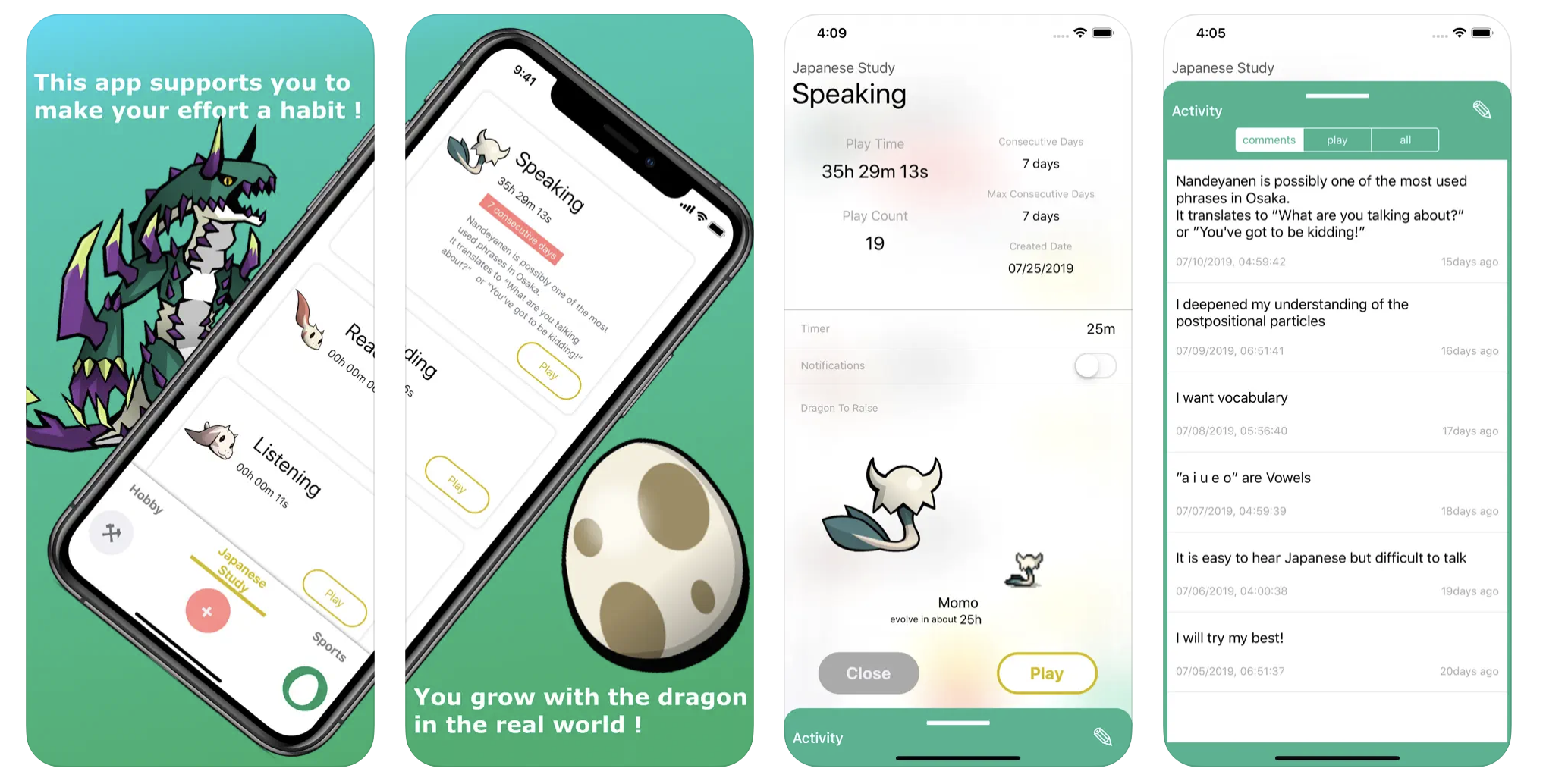
Play Time is an iOS app that turns your daily routines into an RPG-style adventure. Set your goals as "Quests," track your progress with a timer, and watch your dragon grow as you build positive habits.
Key Features
- Quests: Register activities you want to do regularly. Create as many quests as you like and track your time.
- Dragon Growth: Your total quest time becomes experience points for your dragon. Complete 5 evolutions (~100 hours each) to raise a legendary dragon.
- Stories: Organize your quests into categories using Stories.
- Timer & Notifications: Built-in timer with reminders to keep you on track.
- Cloud Backup: Back up your data securely (available from v2.0.0).
Frequently Asked Questions (FAQ)
How do I start a quest?
Tap the "+" button on the main screen to create a new quest. Give it a name and start the timer whenever you're ready to begin.
Can I run multiple quests at the same time?
Only one quest can be running at a time. Complete or pause your current quest before starting another.
How does the dragon evolve?
Your dragon gains experience based on the total time you spend on quests. Each dragon goes through 5 evolutions, taking approximately 100 hours of quest time. After completing four dragons, a legendary dragon will appear!
How do I back up my data?
Go to the settings screen and enable the backup feature. Your quest data will be securely stored in the cloud via Google Firestore.
The app isn't tracking time correctly. What should I do?
Play Time relies on accurate device time. Please make sure your device's date and time are set correctly (Settings > General > Date & Time > Set Automatically).
Contact Us
If you have any questions, feedback, or need help, please use the form below or email us at po.miyasaka+playtime@gmail.com.
Privacy Policy
Data Collection & Usage
Play Time collects minimal data necessary for app functionality:
- Quest Data: Your quest names, times, and progress are stored locally on your device.
- Cloud Backup: If you enable backup, your quest data is stored securely using Google Firestore. The developers do not actively access your backed-up data, nor is it shared with third parties. Data may only be reviewed if you report a technical issue and request investigation.
- Advertising: This app uses Google's SDK for ad display. Google may collect certain usage information in accordance with their privacy policy.
Your Rights
You can delete your local data at any time by uninstalling the app. To request deletion of backed-up data, please contact us using the form above.
Disclaimer
- The developers of Play Time are not liable for any disadvantages arising from the use of this app.
- The app may become unavailable in the future due to data issues, bugs, or discontinuation of support.
- This app uses SDKs and APIs provided by Google Inc. for advertising and backup features. The developers are not responsible for any actions taken by Google regarding user information.
サポート
Play Timeをご利用いただきありがとうございます。ご質問やお困りのことがございましたら、上記のフォームまたは po.miyasaka+playtime@gmail.com までお問い合わせください。
よくある質問
Q: クエストはどうやって始めますか?
A: メイン画面の「+」ボタンをタップして新しいクエストを作成し、タイマーを開始してください。
Q: 複数のクエストを同時に実行できますか?
A: 一度に実行できるクエストは1つだけです。別のクエストを始める前に、現在のクエストを完了または一時停止してください。
Q: データのバックアップはどうすればいいですか?
A: 設定画面からバックアップ機能を有効にしてください。Google Firestoreを通じてクエストデータが安全に保存されます。
Q: 時間が正しく記録されません。
A: デバイスの日時設定が正確であることをご確認ください(設定 > 一般 > 日付と時刻 > 自動設定をオン)。
プライバシーポリシー
- クエストデータはお使いのデバイスにローカル保存されます。
- バックアップを有効にした場合、データはGoogle Firestoreに安全に保存されます。開発者がバックアップデータを積極的に閲覧することはなく、第三者に提供することもありません。
- 広告表示にGoogle Inc.のSDKを使用しています。Googleによる情報利用についてはGoogleのプライバシーポリシーをご参照ください。
- バックアップデータの削除をご希望の場合は、上記フォームまたはメールアドレスまでご連絡ください。